
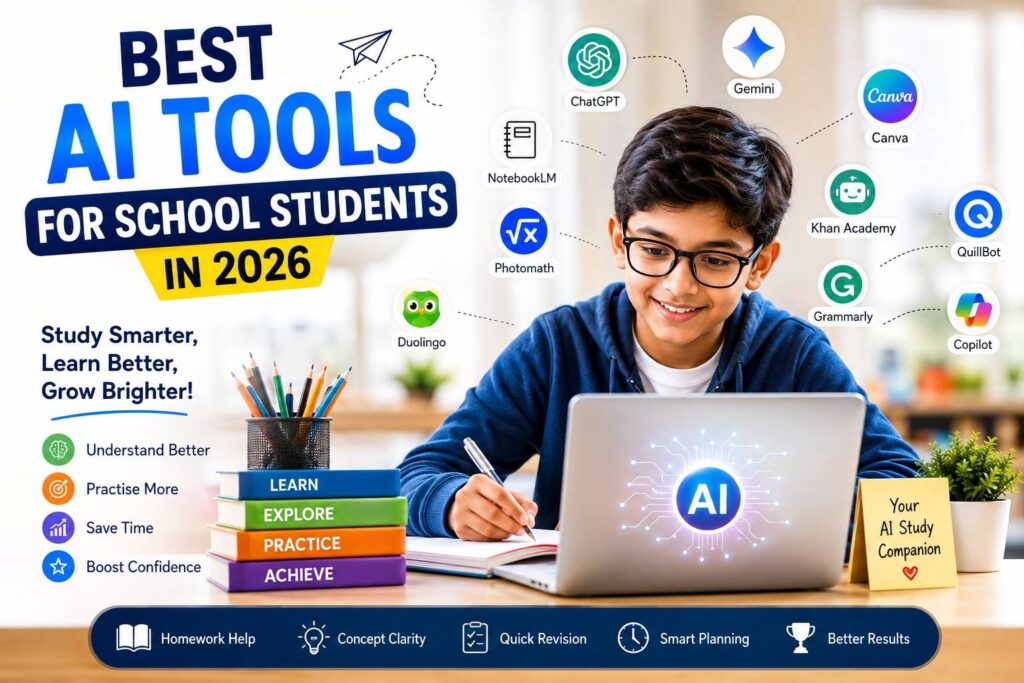
AI is becoming a part of education, but which AI tools are actually useful for school students?
A few years ago, students mainly used the internet to search for information. Today, AI tools can explain a difficult topic, create practice questions, help with writing, support revision and even act like a study partner.
This can be a wonderful opportunity for students.
But there is also a concern that many parents have:
“Will my child use AI to learn, or simply use it to get answers?”
That is the most important question.
AI can be extremely helpful when a student uses it to understand, practise and improve. But if a child uses AI to complete every homework assignment without thinking, it can actually weaken learning.
In this article, we look at some of the best AI tools for school students in 2026, what they can be used for, and how parents can encourage responsible AI use.
What Can AI Do for School Students?
AI tools can support students in many everyday learning activities.
They can help students:
- Understand difficult concepts
- Practise questions
- Revise lessons
- Improve writing
- Learn languages
- Solve mathematical problems step by step
- Prepare presentations
- Create quizzes
- Organise study material
- Identify mistakes
However, AI should be treated as a learning assistant, not a replacement for the student.
A child should still read the textbook, listen to the teacher, solve problems and write answers independently.
10 Best AI Tools for School Students in 2026
Different tools are useful for different purposes. Here are some popular options students and parents may find helpful.
1. ChatGPT – For Understanding and Practice
Best for: Explanations, revision, brainstorming and practice
ChatGPT can be useful when a student finds a topic difficult to understand.
Instead of asking:
“What is photosynthesis?”
a student could ask:
“Explain photosynthesis in simple language for a Class 7 student, with an everyday example.”
Students can also use it to:
- Create practice questions
- Take a quiz
- Understand mistakes
- Learn vocabulary
- Brainstorm essay ideas
- Revise a chapter
- Get hints for difficult problems
Teacher’s Tip
Don’t ask AI:
“Give me the answer.”
Ask:
“Give me a hint so I can solve it myself.”
That small change encourages actual learning.
2. Google Gemini – For Explanations and Research Support
Best for: Explanations, brainstorming and exploring information
Google Gemini can help students understand concepts and explore ideas for school projects.
For example, a student preparing a project on renewable energy could ask:
“Give me five important points about renewable energy that a Class 8 student can understand.”
The student can then verify the information and write the project in their own words.
Remember
AI can sometimes provide incorrect or incomplete information. Important facts should always be checked against textbooks, teachers and reliable sources.
3. NotebookLM – Useful for Studying Your Own Material
Best for: Notes, documents, revision and study material
NotebookLM can be particularly useful when students have their own notes, documents or other learning material.
Instead of searching randomly across the internet, students can work with their study material and ask questions about it.
It can help students:
- Summarise notes
- Identify important points
- Ask questions about their material
- Prepare revision guides
- Review a topic before an examination
This makes it an interesting tool for students who have a lot of notes to revise.
4. Microsoft Copilot – For Writing and Ideas
Best for: Writing support, explanations and brainstorming
Microsoft Copilot can help students generate ideas and improve their written work.
For example, a student writing an essay on “The Importance of Trees” could ask for important points to include.
The student can then develop those points independently.
Copilot can also be useful for:
- Organising ideas
- Understanding concepts
- Brainstorming project topics
- Improving written work
- Creating practice questions
The goal should be to improve the student’s own work, not replace it.
5. Canva – For School Projects and Presentations
Best for: Posters, presentations and visual projects
School projects often require students to create attractive presentations, posters and infographics.
Canva’s AI-powered features can help students generate ideas and create visual content more easily.
For example, a student preparing a project on “Save Water” can use Canva to plan a poster or presentation.
But remember:
A beautiful project is not necessarily a good project.
The student should understand the information and be able to explain it in their own words.
6. Grammarly – For Better English Writing
Best for: Grammar, spelling and sentence improvement
Students sometimes know what they want to say but struggle to write it correctly.
Grammarly can help identify problems with:
- Grammar
- Spelling
- Punctuation
- Sentence structure
- Clarity
The best way to use such a tool is not simply to accept every correction.
Students should ask:
“Why was my sentence wrong?”
Understanding the mistake is more valuable than simply correcting it.
7. Photomath – For Mathematics Practice
Best for: Understanding mathematical problems
Maths becomes frustrating when a student gets stuck halfway through a problem.
Photomath can provide step-by-step help for supported mathematical problems.
It can be useful for practising areas such as:
- Arithmetic
- Fractions
- Algebra
- Equations
- Geometry
The important rule
Try first. Ask AI second.
If a student immediately scans every question and copies the solution, very little learning takes place.
The real benefit comes from understanding where the mistake happened and why.
8. Khan Academy – For Guided Learning
Best for: Learning concepts and practising skills
Khan Academy is well known for its educational resources and has also introduced AI-powered learning support.
The approach is particularly useful because students can receive guidance rather than simply being handed an answer.
Students can use learning support to:
- Understand concepts
- Work through problems
- Practise skills
- Get guidance when stuck
- Learn from mistakes
This is closer to the way a good teacher helps a student:
Question → Hint → Thinking → Solution
9. Duolingo – For Language Practice
Best for: Vocabulary, pronunciation and regular language practice
Learning a language requires regular practice.
Duolingo uses technology and AI-powered features to make language learning interactive.
Students can practise:
- Vocabulary
- Pronunciation
- Sentence formation
- Listening
- Everyday language
Even 10–15 minutes of regular practice can be more useful than trying to learn everything just before an examination.
10. QuillBot – For Writing and Paraphrasing Practice
Best for: Exploring vocabulary and different ways of expressing ideas
QuillBot can help students explore different ways of expressing a sentence.
This can help students learn:
- New vocabulary
- Sentence construction
- Alternative expressions
- Writing style
However, students should never use paraphrasing tools simply to make copied work look original.
| AI Tool | Official Website | Suggested Anchor Text |
|---|---|---|
| ChatGPT | https://chatgpt.com/ | ChatGPT |
| Google Gemini | https://gemini.google.com/ | Google Gemini |
| NotebookLM | https://notebooklm.google.com/ | NotebookLM |
| Microsoft Copilot | https://copilot.microsoft.com/ | Microsoft Copilot |
| Canva | https://www.canva.com/ | Canva |
| Grammarly | https://www.grammarly.com/ | Grammarly |
| Photomath | https://photomath.com/ | Photomath |
| Khan Academy | https://www.khanacademy.org/ | Khan Academy |
| Duolingo | https://www.duolingo.com/ | Duolingo |
| QuillBot | https://quillbot.com/ | QuillBot |
Good writing comes from understanding and expressing ideas in your own words.
Which AI Tool Is Best for What?
Parents don’t need to remember the purpose of every tool. This simple table can help:
| Learning Need | Useful Tools |
| Understand difficult concepts | ChatGPT, Gemini |
| Study notes and revision | NotebookLM |
| Maths practice | Photomath |
| English writing | Grammarly, QuillBot |
| Projects and presentations | Canva |
| Language practice | Duolingo |
| Guided learning | Khan Academy |
| General study support | ChatGPT, Gemini, Copilot |
Always check the current age requirements, privacy settings, features and school policies before allowing a child to use an AI tool.
How Should Students Use AI?
Here is a simple method that I recommend to students:
1. Read
Start with your textbook, class notes or teacher’s explanation.
2. Try
Attempt the question yourself.
3. Ask
If you are confused, ask AI for an explanation or hint.
4. Check
Compare the information with your textbook or teacher’s guidance.
5. Practise
Close the AI tool and solve a similar question yourself.
This simple Read → Try → Ask → Check → Practise approach can turn AI into a genuine learning assistant.
5 Smart Ways Students Can Ask AI for Help
The quality of the question often affects the quality of the help.
Instead of asking AI to do the work, students can try prompts such as:
For difficult topics
“Explain this topic in simple language suitable for a Class 6 student.”
For revision
“Create 10 questions to help me revise this chapter.”
For mathematics
“I am stuck at this step. Give me a hint without giving me the final answer.”
For writing
“Check my paragraph for grammar mistakes and explain each mistake.”
For self-testing
“Quiz me one question at a time and tell me which areas I need to improve.”
These prompts encourage students to think and participate in the learning process.
What Should Parents Be Careful About?
AI has many benefits, but parents should also be aware of its limitations.
1. AI can make mistakes
An AI-generated answer is not automatically correct.
2. Children may become dependent on it
If students use AI for every question, they may stop trying to solve problems themselves.
3. Copying can become a habit
Students may be tempted to copy essays, answers and project material directly.
4. Privacy matters
Children should never share sensitive personal information with AI tools.
5. Screen time still matters
AI is another form of screen use. It should not replace sleep, exercise, reading, hobbies or family time.
7 Simple AI Rules Every Student Should Follow
Parents can teach children these easy rules:
1. Try before asking AI.
2. Never copy blindly.
3. Check important information.
4. Never share sensitive personal details.
5. Use AI to learn, not to cheat.
6. Follow your school’s AI policy.
7. Keep thinking for yourself.
The last rule is perhaps the most important.
Can AI Replace a Good Teacher?
No.
AI can explain a topic many times.
It can create questions.
It can suggest ideas.
It can help students practise.
But a teacher does something much more important: a teacher understands the child.
A teacher can recognise when a student is confused, losing confidence or struggling with a particular skill.
A teacher can encourage a child who says:
“I can’t do this.”
AI can support education, but human guidance, encouragement and experience remain extremely valuable.
The future is not necessarily:
AI vs Teachers
It is more likely to be:
Teacher + Student + Technology
Final Thoughts for Parents and Students
AI is becoming a part of modern education, and children will encounter it more and more as they grow.
The answer is not necessarily to completely ban AI or to allow unlimited use.
Instead, children should learn how to use AI responsibly.
Parents can encourage children to use AI for:
Understanding + Practice + Revision + Feedback
rather than:
Copying + Homework shortcuts + Avoiding effort
Remember this simple principle:
The best AI tool is not the one that gives a student the fastest answer. It is the one that helps the student learn how to find the answer.
AI can be a wonderful study companion.
But the student should always remain the learner, thinker and decision-maker.
Frequently Asked Questions
1. Which is the best AI tool for school students?
There is no single best AI tool for every student. ChatGPT, Gemini, NotebookLM, Canva, Photomath, Grammarly, Khan Academy and other tools serve different purposes.
2. Is AI safe for school students?
AI can be useful when used responsibly. Parents should check age requirements, privacy settings and school policies, and teach children not to share sensitive personal information.
3. Should students use AI for homework?
Students can use AI for explanations, hints and additional practice, but they should follow their school’s rules and complete their work with their own understanding.
4. Can AI replace teachers?
No. AI can support learning, but teachers provide human guidance, encouragement, assessment and an understanding of each child’s individual needs.
5. Can AI help with exam preparation?
Yes. AI can help students revise concepts, create practice questions, identify mistakes and test their understanding. Students should still give priority to their prescribed textbooks, notes and teacher’s guidance.
A Message for Students
Don’t be afraid of AI. Learn to use it wisely.
Try first.
Ask questions.
Learn from your mistakes.
Check the information.
And most importantly—
Keep thinking for yourself.
Because the smartest student will not necessarily be the one who uses AI the most.
It will be the one who knows when and how to use it.
By BHASHASUTRA
Students interested in healthcare can also explore our detailed guide on Medical Courses Without NEET. https://www.bhashasutra.in/medical-courses-without-neet/